
Wi-Fi 8 Explained: A Powerful Upgrade Worth Waiting For?
Have you ever sat three rooms away from your router, watching a video call dissolve into pixels while your speed test still shows plenty of megabits? That isn’t a speed problem. It’s a reliability problem, and Wi-Fi 8 is the first wireless standard designed around fixing exactly that.
For years, every new generation of wireless has tried to impress you with bigger numbers. Wi-Fi 8, officially known as IEEE 802.11bn, keeps the top speeds of Wi-Fi 7 and goes after something less flashy: fewer dropouts, steadier latency, and access points that finally cooperate instead of competing. The first hardware has already been announced, even though the standard itself won’t be finished for a couple of years.
So should you care yet? Keep reading, and you’ll learn what the new standard changes, how it differs from Wi-Fi 7, which routers and chips exist today, and what you can do right now to make your current network behave better.
Table of Contents

What Is Wi-Fi 8 and Why Does It Exist?
The Short Version of IEEE 802.11bn
Wi-Fi 8 is the consumer name for the IEEE 802.11bn amendment, the follow-up to 802.11be, the technical label behind Wi-Fi 7. Engineers describe the goal as Ultra High Reliability, or UHR for short. The first formal draft was approved in mid-2025, and the finished standard isn’t expected until around 2028.
That gap sounds strange, but it’s normal in this industry. Chipmakers such as Broadcom, MediaTek, and Qualcomm are already building silicon from the draft, and router brands have announced products for late 2026. Earlier generations of wireless followed the same pattern: hardware first, final paperwork later.
Why Speed Is No Longer the Point
Think about what actually annoys you on Wi-Fi. It’s rarely a shortage of raw bandwidth. It’s the call that stutters the moment someone starts a download, the game that spikes to 200 ms at the worst second, or the smart speaker that drops off the network every night.
The new standard targets those bad moments. Industry previews talk about roughly 25% lower latency at the 95th percentile (that means the slowest five percent of packets) and about 25% fewer dropped packets compared with Wi-Fi 7. Treat those figures as design goals rather than promises. Still, they show where the engineers are aiming: at your worst minute, not your best one.
How Wi-Fi 8 Works: The Features That Matter
You don’t need an engineering degree to follow this part. Four ideas carry most of the weight.
Multi-Access Point Coordination
Right now, if you own a mesh kit or two routers, those devices behave like neighbors who never speak. Each one grabs airtime on its own and hopes for the best. Multi-Access Point Coordination, shortened to MAPC, lets them plan together.
When your nodes coordinate, they can take turns, steer transmissions away from collisions, and share the load. In a home with a mesh system or an extender, that should mean steadier performance as you walk from room to room.
Coordinated Spatial Reuse
Coordinated Spatial Reuse (Co-SR) lets nearby access points adjust their transmit power so two of them can talk at the same moment without drowning each other out. Picture two conversations in the same room where both groups lower their voices instead of shouting.
Why this matters in apartments
Crowded buildings are where the idea shines. If your neighbor’s router sits on the other side of a thin wall, the old rule was simple: whoever talks first wins,s and everyone else waits. Smarter power control shortens that waiting line.
Dynamic Sub-channel Operation
Wide channels are fast but fragile. When a small slice of a wide channel catches interference, older Wi-Fi often has to abandon the whole thing. Dynamic Sub-channel Operation (DSO) lets an access point keep using the clean parts and skip the noisy slice, adjusting in real time.
Better Power Efficiency
Reliability isn’t only about the router. The new standard also aims to help phones, laptops, and sensors spend less energy staying connected. Some estimates mention savings of up to half in certain situations, although your real results will depend on the device and how you use it.
Wi-Fi 8 vs Wi-Fi 7: What Actually Changes?
If you’ve read our guide to the key benefits of Wi-Fi 7, you already know that generation brought 320 MHz channels, 4K-QAM modulation, and Multi-Link Operation. The newer standard doesn’t try to beat those headline numbers. Here’s how the two compare in plain terms:
- Peak speed: About the same. Channel widths and modulation stay where Wi-Fi 7 left them.
- Main goal: Wi-Fi 7 chases throughput. Wi-Fi 8 chases consistency.
- Teamwork between access points: Limited before, central now.
- Worst-case latency: Expected to improve noticeably.
- Standard status: Wi-Fi 7 is certified and widely sold. Wi-Fi 8 stays a draft until roughly 2028.
- Device support: Wi-Fi 7 phones and laptops are common. Wi-Fi 8 clients are only starting to appear.
Notice something about that list: the gains show up in bad conditions, not ideal ones. In a quiet home with one router and one laptop, you may never feel a difference.

Wi-Fi 8 Routers and Chips You Can See Right Now
Hardware arrived before the paperwork. Here’s what has been announced so far:
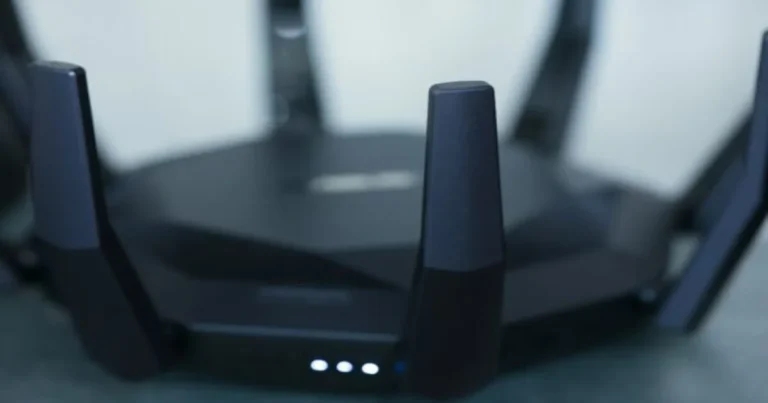
- ASUS ROG NeoCore (concept): Shown at CES 2026, an antenna-free, polyhedral design that promises Wi-Fi 7 speeds with higher throughput and lower latency.
- ASUS ROG Rapture GT-BN98: A gaming-focused router revealed around Gamescom 2026.
- ASUS ZenWiFi BN12: A mesh system revealed at the same event.
- Broadcom BCM4918 and new radio chips: Aimed at home gateways and provider-supplied routers, with an emphasis on AI-assisted management and efficiency.
- MediaTek silicon: Previewed on the draft specification.
TP-Link has also said it’s working on compatible equipment. Prices and release dates vary by region, so check the manufacturer’s page before you plan around any model. As TechSpot reported from CES, these first products rest on a draft, which brings us to the big question.
Should You Buy a Wi-Fi 8 Router Now?
Short answer: probably not yet. Longer answer: it depends on what frustrates you.
Reasons to Wait
- The standard isn’t final, so early routers may need firmware updates and might not match the finished feature set.
- Your devices matter. A new router talking to a Wi-Fi 5 phone can’t use the coordination tricks properly.
- First-generation hardware usually launches expensive and gets cheaper fast.
- Wi-Fi 7 gear is mature, and many shops already discount it.
Reasons to Buy Early
- You live in a large home with a mesh system and fight constant roaming trouble.
- You’re a competitive gamer or heavy video-caller, and latency spikes bother you more than slow downloads.
- You enjoy testing new technology and can live with a few rough edges.
Honestly, most households do better by fixing the basics first. That’s cheaper, and it works today.
Real-Life Situations Where the New Standard Could Help
Specs only mean something when you can picture them in your own home. These three situations show where the reliability focus could matter most.
Video Calls in a Busy Household
Picture a weekday afternoon. You’re on a call with your team, one kid streams a video, another downloads a game update, and a smart plug keeps pinging the network. Your average speed looks fine, yet your face freezes for two seconds every few minutes. That’s a latency and airtime problem, the exact kind the coordinated approach tries to smooth out. If your nodes share the load intelligently, those freezes should become rarer.
Gaming Without the Mystery Spikes
Competitive players care less about megabits than about consistency. A single spike can cost you a round. Because the new design pays attention to the slowest packets and not only the average ones, it speaks directly to those why did that just happen moments. Pair it with a wired link where you can, and you remove most of the randomness. For more fixes you can apply today, see our practical ways to improve your internet speed.
A Smart Home Packed With Devices
Count the gadgets on your network: phones, TVs, speakers, cameras, plugs, bulbs, maybe a robot vacuum. Most homes now hold dozens. Each one needs airtime, even if it only sends a few bytes. Better coordination and power control let those small devices check in without crowding out the big ones, and lower energy use helps battery-powered sensors last longer between charges.
None of this requires you to buy anything today. It simply tells you what to look for when you do shop: mesh support, coordination features, and the final certification label.
Get More From Your Current Network Before Wi-Fi 8 Arrives
Here’s a surprise: many Wi-Fi problems come from setup, not from the standard your router uses. Before you spend money, work through this list in order.
- Move the router. Put it high, central, and away from metal, microwaves, and thick walls.
- Wire what you can. A cable to your TV, console, or desk PC removes those devices from the airwaves. Our Ethernet vs Wi-Fi comparison shows when it pays off.
- Match devices to bands. Give demanding devices 5 GHz or 6 GHz and leave 2.4 GHz for smart plugs and sensors.
- Check roaming settings. Features called 802.11k, 802.11v, and 802.11r help devices switch between mesh nodes cleanly. When they’re switched off, you get dropouts that no new standard will fix.
- Fix dead corners properly. Follow our guide to mesh Wi-Fi systems instead of buying a stronger single router.
- Update the firmware. Manufacturers quietly repair stability bugs this way.
Lag only when the network is busy? Then you may be looking at bufferbloat, a queueing problem inside your router, and a good router setting can cure it without any new hardware. Many newer chips also lean on automation, which we cover in our piece on AI network optimization.
How to Tell If Your Wi-Fi Is Really the Bottleneck
Before you blame the wireless link, measure it. One speed number won’t tell you much, so look at three things:
- Download and upload speed: Compare the result with the plan you pay for.
- Latency: How long a signal takes to make the round trip. Our guide to network latency explains what’s normal.
- Jitter and packet loss: How steady your connection stays. See what ping and jitter mean.
Run the test twice: once beside your router and once in the room where trouble starts. If the first result looks great and the second collapses, your problem is coverage, which is exactly the area the new standard wants to improve. If both numbers are low, the weak spot sits with your plan or your provider instead.
Need a refresher on getting trustworthy results? Read our speed test best practices, then try the Internet Performance Analyzer on this site to check your connection right now. For the official word on certification, the Wi-Fi Alliance and the IEEE 802.11 working group publish their own updates.
Conclusion: Wi-Fi 8 Is About Steadiness, Not Bragging Rights
Wi-Fi 8 won’t make your downloads twice as fast. It’s trying to do something harder: keep your connection dependable when the house is busy, the neighbors are crowding the airwaves, and you’re pacing around on a call. That’s a worthwhile goal, and the early hardware shows the industry takes it seriously.
Still, the standard won’t be final until about 2028, devices that can use it are scarce, and a well-placed Wi-Fi 7 router already handles most homes. Waiting costs you very little. Fixing your current setup costs even less.
Your next step: run a free test with our Internet Performance Analyzer, note which room gives you the worst result, and share this guide with the person in your house who always blames the router. Got a question about your own setup? Leave a comment and tell us what you’re running.
Frequently Asked Questions About Wi-Fi 8
What is Wi-Fi 8?
Wi-Fi 8 is the wireless generation after Wi-Fi 7, officially called IEEE 802.11bn. It focuses on Ultra High Reliability: steadier connections, lower worst-case latency, and better cooperation between access points, rather than higher peak speeds.
When will Wi-Fi 8 be available?
The first routers and chips built on the draft standard were announced for late 2026, but the final IEEE standard isn’t expected until around 2028. Early products may receive firmware updates as the specification settles.
Is Wi-Fi 8 faster than Wi-Fi 7?
Not in peak speed, because channel widths and modulation stay the same. You may notice better real-world throughput and fewer slowdowns in crowded or difficult conditions, especially when several access points work together.
Do I need a new phone or laptop to use Wi-Fi 8?
To get the full benefit, yes. Your devices need matching hardware too. Older devices will still connect, but they can’t use the new coordination features.
Should I buy a Wi-Fi 8 router now or wait?
For most people, waiting makes sense. The standard is still a draft, compatible devices are rare, and prices start high. Fix your router placement, wiring, and roaming settings first, then upgrade if problems remain.