
Ethernet vs. WiFi: Which is Better?
Table of Contents
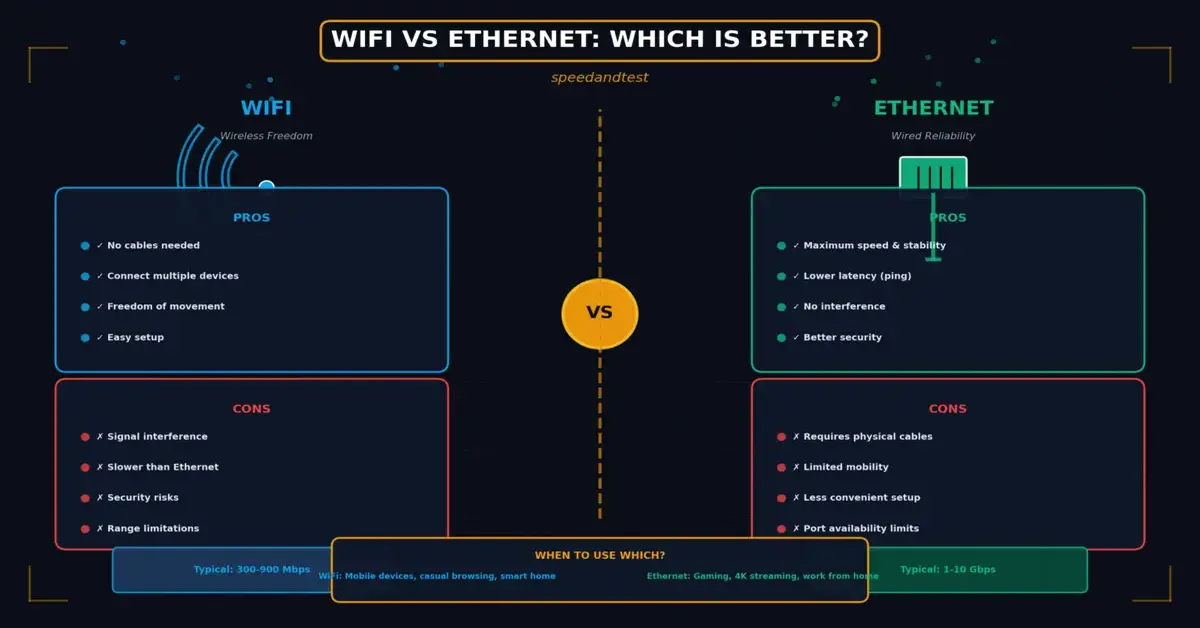
Few home networking questions generate as much debate as whether to use Wi-Fi or a wired Ethernet connection. Both technologies serve the same fundamental purpose, connecting a device to a network, but they achieve it through very different means, with meaningfully different trade-offs in speed, reliability, latency, and convenience. This guide breaks down exactly how Ethernet vs. WiFi compare across the factors that matter most, and helps you decide which is the right choice for different devices and use cases in your home or office.
How Ethernet vs. WiFi Actually Work
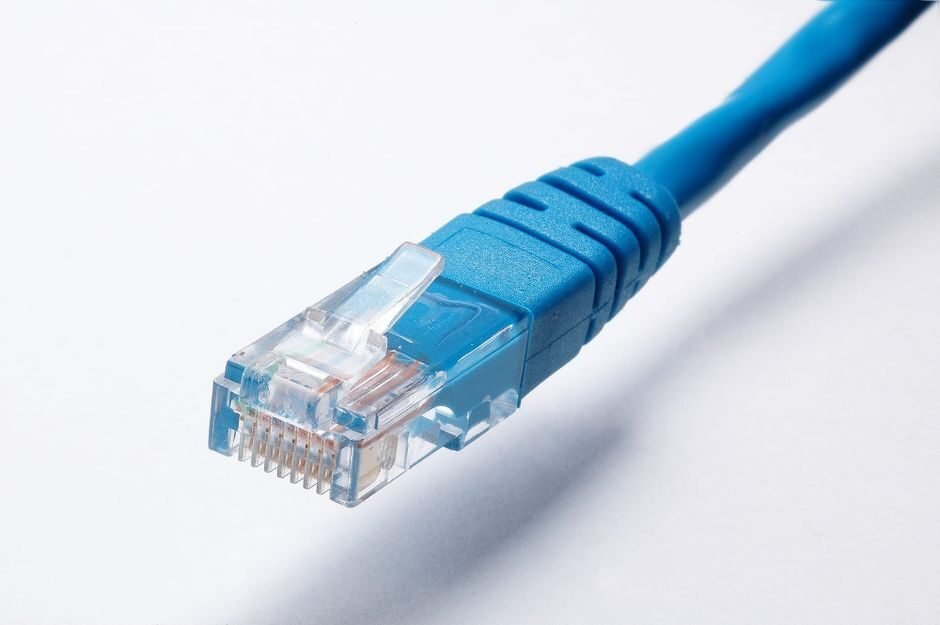
Ethernet transmits data over physical copper or fiber-optic cables, connecting a device directly to a router, switch, or modem. Because the signal travels through a dedicated physical medium, it is far less susceptible to interference and generally delivers more consistent performance. Ethernet vs. WiFi, by contrast, transmits data wirelessly using radio frequencies, broadcasting a signal that any properly authenticated device within range can receive, offering obvious convenience at the cost of some performance consistency.
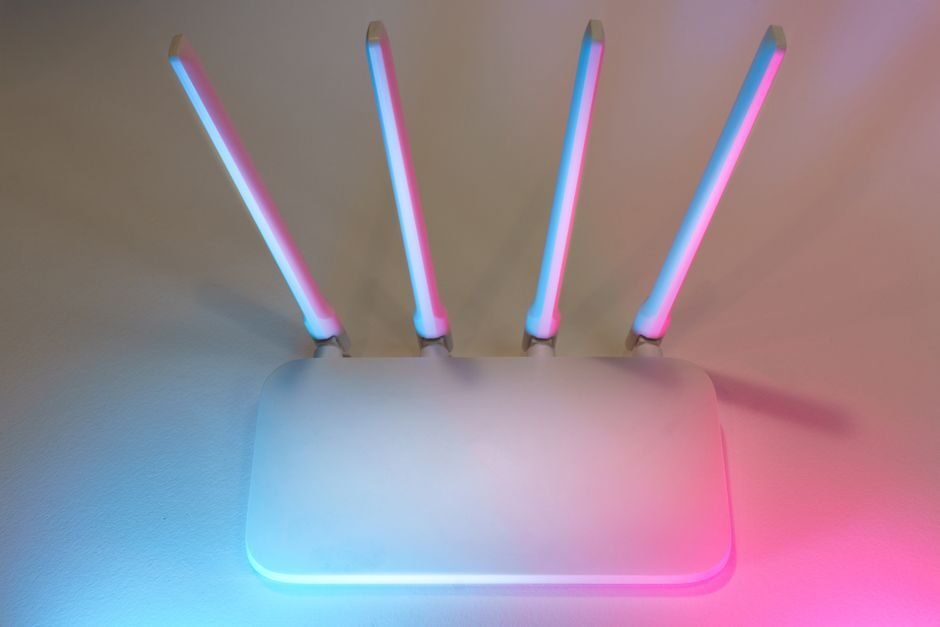
The radio frequencies used by Wi-Fi, typically in the 2.4 gigahertz and 5 gigahertz bands, with newer standards adding 6 gigahertz, are shared among all devices connecting to the same network and can be affected by physical obstructions, distance from the router, and interference from other wireless devices and networks operating on overlapping frequencies.
Ethernet vs. WiFi Standards and Their Evolution
Ethernet vs. WiFi technology has evolved considerably over the years, from early standards offering just a few megabits per second to current generations capable of multi-gigabit speeds under ideal conditions. Each new generation, commonly referred to by names like Wi-Fi 6 and Wi-Fi 7, brings speed improvements, capacity for handling many simultaneous connected devices, and efficiency, though real-world performance still depends heavily on router placement, interference, and the specific devices connecting to the network.
Speed and Bandwidth Comparison
Under ideal conditions, modern Ethernet vs. WiFi standards can theoretically match or even exceed the speed of common Ethernet cabling. In practice, however, wired Ethernet connections tend to deliver more consistent throughput, since they are not subject to the interference, signal degradation over distance, and channel congestion that affect wireless performance. For most everyday tasks like web browsing and standard-definition video streaming, either technology comfortably handles the load, but the gap becomes more noticeable with demanding applications like large file transfers, competitive gaming, or high-resolution video editing over a network.
Latency: Where Ethernet vs. WiFi Usually Wins
Latency, the delay before data begins transferring, is one of the clearest areas where wired Ethernet connections maintain an advantage over Ethernet vs. WiFi. Wireless connections introduce additional processing overhead and are more susceptible to momentary interference that can cause small but noticeable delays. For latency-sensitive applications such as competitive online gaming, video conferencing, or any real-time application, a wired Ethernet connection generally provides a smoother, more predictable experience.
Reliability and Consistency
One of Ethernet’s most underappreciated advantages is sheer consistency. A wired connection performs essentially the same whether it is used at two in the afternoon or during peak evening hours when every device in the household is competing for wireless bandwidth. Ethernet vs. Ethernet vs. WiFi performance, by contrast, can vary noticeably based on network congestion, the number of connected devices, physical obstructions like walls and furniture, and even interference from neighboring wireless networks.
Security Considerations
Wired connections offer an inherent security advantage: someone needs physical access to your network to connect a device via Ethernet vs. WiFi, whereas Wi-Fi signals extend beyond your walls and can potentially be accessed by anyone within range who has the right credentials or exploits a vulnerability in your wireless security configuration. Modern Wi-Fi encryption standards like WPA3 have significantly improved wireless security, but a properly secured wired connection remains inherently harder to intercept without physical network access.
Convenience and Practicality
Despite its performance advantages, Ethernet vs. WiFi is not always practical. Running cables throughout a home or office requires either exposed wiring, which many people find unsightly, or in-wall cable installation, which can be costly and disruptive, particularly in existing buildings not originally wired for network cabling. Wi-Fi eliminates this problem, allowing devices to connect from anywhere within range without any physical installation, which explains its dominance for mobile devices like smartphones, tablets, and laptops that move throughout a space.
The Best Approach: A Hybrid Setup
For most households, the optimal solution is not choosing one technology exclusively but combining both strategically. Stationary devices that benefit most from consistent, high-bandwidth, low-latency connections, such as desktop computers, gaming consoles, smart TVs, and streaming devices, are excellent candidates for a wired Ethernet vs. WiFi connection where practical. Mobile devices and anything that needs to move around a space, such as phones, tablets, and laptops used throughout the home, are naturally better suited to Ethernet vs. WiFi.
Using Powerline and Mesh Solutions
When running traditional Ethernet vs. WiFi cable is impractical, alternative solutions can help bridge the gap. Powerline adapters transmit network data over a building’s existing electrical wiring, offering a wired-like connection without running new cables, though performance varies based on the quality and age of the electrical wiring involved. Mesh Ethernet vs. WiFi systems, meanwhile, use multiple coordinated access points to extend reliable wireless coverage throughout a larger space, addressing one of Wi-Fi’s traditional weaknesses in bigger homes or buildings with challenging layouts.
Which Devices Should Use Which Connection
As a general guideline, prioritize wired Ethernet vs. WiFi for devices where performance and reliability matter most and mobility is not required: gaming consoles, desktop computers, network-attached storage devices, and streaming boxes all benefit noticeably from a wired connection when one is available. Reserve Wi-Fi for devices that need to move around, including phones, tablets, laptops used in multiple rooms, and smart home devices scattered throughout a space where running cable to each one would be impractical.
How This Fits Into Your Broader Network Setup
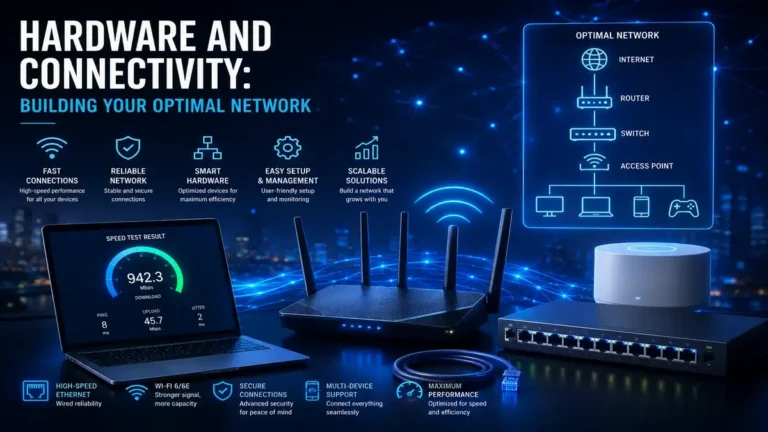
Choosing between Ethernet vs. WiFi is just one part of building a well-optimized home network. For a broader look at building out your network hardware and connectivity strategy, see our guide on hardware and connectivity, and for understanding how connection choice affects the delays you experience during everyday use, see our article on the impact of network latency.
Understanding Wireless Interference in Real Homes
One of the biggest gaps between advertised Ethernet vs. WiFi speeds and real-world experience comes down to interference, a factor that is often invisible to the average user but significantly impacts performance. Household appliances like microwaves, cordless phones, and even Bluetooth devices can operate on frequencies that overlap with the 2.4 gigahertz Wi-Fi band, causing intermittent slowdowns that are difficult to diagnose without specialized tools. Dense apartment buildings compound this problem further, since dozens of neighboring Ethernet vs. WiFi networks may be competing for the same limited set of channels, particularly in older buildings where router placement was never optimized with wireless coexistence in mind.
Building materials also play a significant role in wireless performance that many people underestimate. Concrete, brick, and metal-backed insulation can dramatically reduce Wi-Fi signal strength as it passes through walls and floors, sometimes creating dead zones just a room or two away from a router that would otherwise seem to be providing strong, consistent coverage. Understanding these physical realities helps explain why identical routers can perform very differently in different homes, and why a strategy that considers building layout and materials often matters more than simply buying a more expensive router.
Gaming and Real-Time Applications: A Closer Look
Competitive online gaming represents one of the clearest cases where the Wi-Fi versus Ethernet vs. WiFi decision has a measurable, noticeable impact. Even small amounts of additional latency or occasional packet loss, both more common over wireless connections, can translate directly into a worse gaming experience, manifesting as rubber-banding, delayed inputs, or inconsistent hit registration in competitive titles. Serious gamers have long favored wired connections for exactly this reason, and this preference is well supported by the underlying technical realities of how each connection type handles time-sensitive data.
Video conferencing, increasingly central to both work and personal life, benefits similarly from a wired connection’s consistency, particularly in households where multiple people might be on calls simultaneously while other devices stream video or download large files in the background. A wired connection for the primary work computer, combined with Wi-Fi for less demanding secondary devices, is a common and effective strategy for households balancing multiple simultaneous high-bandwidth activities.
The Environmental and Cost Tradeoffs
Beyond pure performance, there are practical cost and effort tradeoffs worth considering. Wi-Fi requires essentially no additional investment beyond the router itself, since most modern devices include built-in wireless capability. Ethernet vs. WiFi, by contrast, requires cables and potentially a network switch if you need to connect more wired devices than your router has available ports for, plus installation effort if cables need to be run any significant distance or through walls.
For renters or anyone who cannot make permanent modifications to a space, the practical convenience of Wi-Fi often outweighs the performance benefits of wired connections, particularly for moderate usage that does not push the boundaries of what wireless technology can comfortably handle. Homeowners planning a renovation or new construction, on the other hand, have a valuable opportunity to run Ethernet cabling to key locations in advance, avoiding the cost and disruption of retrofitting cable into finished walls later.
Frequently Asked Questions
Is Wi-Fi 6 as fast as Ethernet?
Under ideal, uncongested conditions, Wi-Fi 6 can approach or match common Ethernet speeds, but real-world wireless performance is more variable due to interference, distance, and the number of connected devices sharing the same network.
Does using Ethernet reduce my internet bill?
No. Your internet bill is based on the plan tier from your internet service provider, not the connection method used inside your home. Ethernet simply helps ensure you actually receive the speeds you are already paying for.
Does the age of my router affect Wi-Fi performance significantly?
Yes. Older routers may lack support for newer, more efficient Wi-Fi standards and often have less powerful processors handling the growing number of connected devices in a modern household, making periodic upgrades worthwhile.
Can I mix Ethernet vs. WiFi on the same network?
Yes, and this is actually the recommended approach for most households, using wired connections for stationary, performance-sensitive devices while relying on Wi-Fi for mobile and less demanding devices.
Why does my Wi-Fi slow down when many devices are connected?
Wi-Fi bandwidth is shared among all connected devices on the same network and frequency band, so as more devices actively use the network simultaneously, each one receives a smaller share of the available capacity.
Is it worth paying an electrician to run Ethernet cable in my home?
For households with demanding, stationary use cases like gaming or home theater setups, professionally installed in-wall Ethernet cabling can provide a noticeable and lasting performance improvement worth the upfront cost.
Does Ethernet cable quality matter?
Yes, to a degree. Modern Ethernet cables are categorized by rated speed capacity, and using a cable rated below your network’s capabilities can create an unnecessary bottleneck, so matching cable category to your network speed is worthwhile.
How far can Ethernet cable run before performance degrades?
Standard Ethernet cabling can typically run up to about 100 meters before signal degradation becomes a concern, which is more than sufficient for the vast majority of home and small office installations.
Will upgrading my router improve my Wi-Fi speed if my internet plan is slow?
No. A router can only distribute the bandwidth your internet plan provides. If your internet connection itself is slow, upgrading your router will improve local network performance but will not exceed your plan’s actual speed limit.
Do mesh Wi-Fi systems perform as well as a single strong router?
Mesh systems generally provide better whole-home coverage than a single router, especially in larger homes, though each additional wireless hop can introduce a small amount of extra latency compared to a direct connection to the main access point.
Both Wi-Fi and Ethernet have their place in a well-designed home or office network, and the right choice ultimately depends on the specific device, its location, and how sensitive its use case is to speed, latency, and reliability. According to Wikipedia’s overview of Ethernet, the technology’s decades-long track record of reliability and continual speed improvements explain why it remains the preferred choice for performance-critical wired connections even in an increasingly wireless world.

2 Comments