Hardware and Connectivity: Building a Better Network
Table of Contents
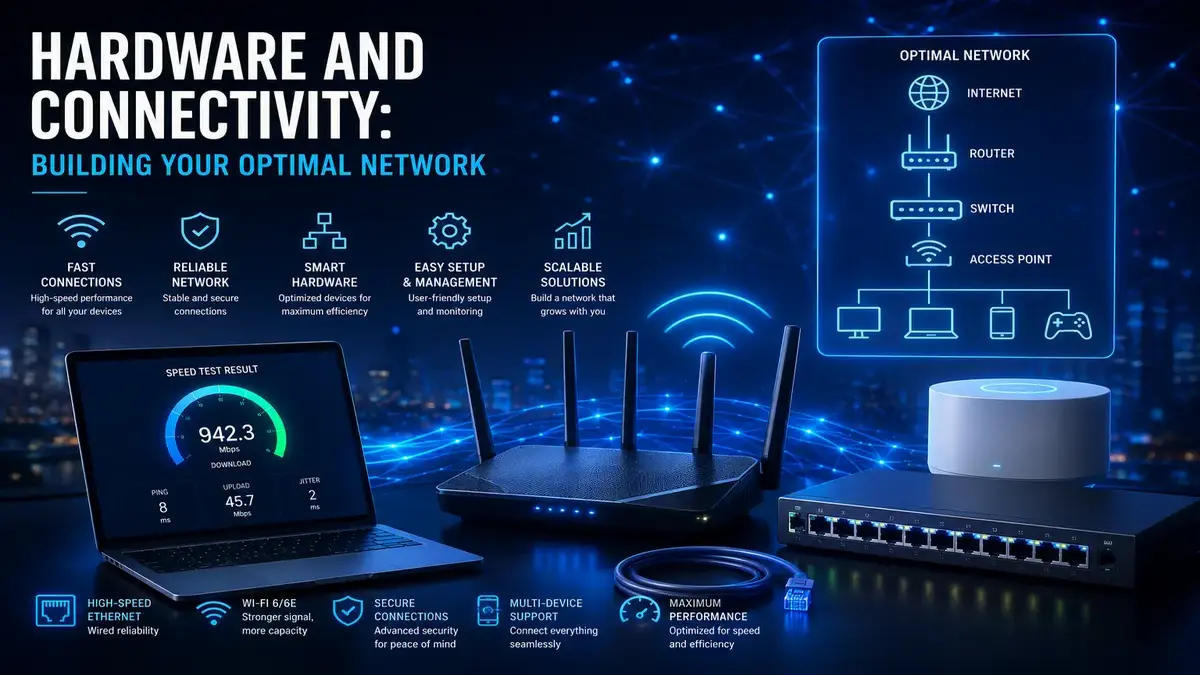
A truly excellent home network is not the product of any single device or decision, but rather the sum of many smaller choices about equipment, cabling, placement, and configuration working together. Households often focus exclusively on their internet plan’s advertised speed while overlooking the hardware and connectivity choices that determine how much of that speed actually reaches their devices in practice. This guide walks through every major component of building an optimal home network, from foundational equipment choices to the physical infrastructure that ties everything together, giving you a complete picture of what a genuinely well-built network looks like.
Starting With the Right Modem
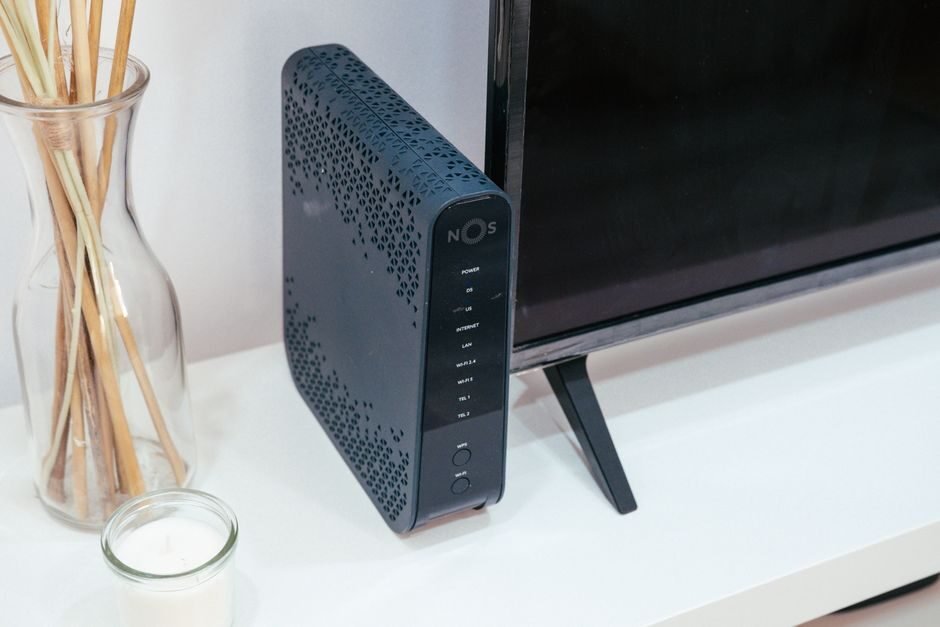
Your modem is the bridge between your home network and your internet service provider, making it a foundational piece of equipment that deserves careful consideration. Using a modem that matches or exceeds your plan’s speed tier, and that is on your provider’s approved equipment list, ensures compatibility and prevents your modem from becoming an unexpected bottleneck. Many providers offer modem rental, but purchasing your own compatible modem often pays for itself within a year or two through eliminated rental fees.
Combination Hardware and Connectivity Devices Versus Separate Components
Combination modem-router devices offer convenience and a smaller footprint, but separate, dedicated modem and router devices often provide better performance, more configuration flexibility, and the ability to upgrade one component without replacing the other when your needs change over time.

Choosing Router Hardware and Connectivity That Matches Your Needs
Your router’s capabilities directly shape your network’s real-world performance, particularly for wireless devices. Consider your home’s size and layout, the number of devices you expect to connect, and current Wi-Fi standards when selecting a router. A router that is undersized for your home or device count will struggle regardless of how fast your underlying internet plan actually is, making this a genuinely important decision rather than an afterthought.
Understanding Wi-Fi Standards and Bands
Modern routers typically broadcast on both 2.4 gigahertz and 5 gigahertz bands, and increasingly a 6 gigahertz band on newer standards. The 2.4 gigahertz band offers better range but more interference and lower maximum speed, while the 5 and 6 gigahertz bands offer higher speed and less interference but reduced range and wall penetration. Understanding this tradeoff helps you make informed decisions about which devices to connect to which band for optimal performance.
The Case for Strategic Ethernet Cabling
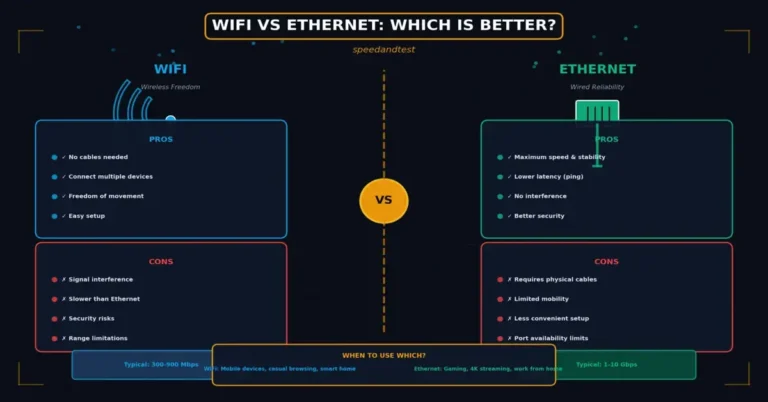
Even in an increasingly wireless world, running Ethernet cable to key locations throughout your home remains one of the highest-value infrastructure investments available. Wired connections to a home office, entertainment center, or gaming setup deliver consistent, maximum performance unaffected by wireless interference or congestion, and pre-planning cable runs during any renovation or new construction avoids the cost and complexity of retrofitting cabling later.
Mesh Systems Versus Traditional Routers
For larger homes or homes with challenging layouts, a mesh Wi-Fi system, which uses multiple coordinated access points to blanket your home in consistent coverage, typically outperforms a single traditional router trying to cover the same area alone. Smaller homes and apartments, by contrast, often achieve excellent coverage with a single well-placed, modern router, making a mesh system an unnecessary added expense in those situations.
Hardware and Connectivity: Network Switches for Expanding Wired Capacity
When you need more wired ports than your router provides, a Hardware and Connectivity network switch lets you expand your wired network without replacing your router entirely. Unmanaged switches are simple, inexpensive, and suitable for most home needs, while managed switches offer additional configuration options, like traffic prioritization and network segmentation, that appeal to more advanced home network setups.
- Choose a modem that matches or exceeds your plan’s speed tier and provider compatibility list.
- Select a router sized appropriately for your home’s square footage and device count.t
- Run Ethernet cable to key stationary devices wherever practically possible
- Consider a mesh system for larger homes with multiple floors or challenging layouts
- Add a network switch if you need more wired ports than your router provides
Power and Placement: Hardware and Connectivity Considerations
Beyond the equipment itself, where and how you power your network hardware affects both performance and reliability. Placing equipment in a central, ventilated location prevents overheating, which can degrade performance and shorten equipment lifespan over time. A battery backup or uninterruptible power supply for your modem and router can also keep your network running briefly during short power interruptions, worth considering for households that rely heavily on a stable internet connection.
Future-Proofing Your Hardware and Connectivity Network Investment
Technology standards evolve, and equipment purchased today should ideally accommodate reasonable future growth in both speed and device count. Choosing equipment that supports hardware and Connectivity slightly more than your current needs, rather than the absolute minimum required today, extends the useful lifespan of your investment and reduces how often you need to repeat the equipment selection process as your household’s needs grow.
Security Considerations in Your Hardware and Connectivity Setup
A well-built network is not just fast but also secure. Using a router with regular manufacturer firmware and security updates, enabling WPA3 encryption where supported, and segmenting less trusted devices like smart home equipment onto a separate network all contribute to a network that is both high-performing and appropriately protected against unauthorized access and potential security vulnerabilities.
How This Connects to Broader Hardware and Connectivity Network Topics
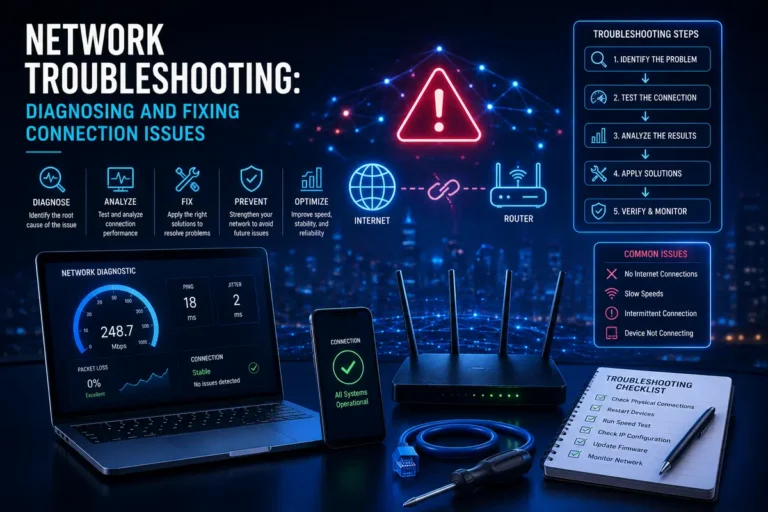
Building optimal hardware and connectivity works hand in hand with understanding how to diagnose and resolve problems when they arise. For a comparison of wired versus wireless connections relevant to planning your cabling strategy, see our guide on Wi-Fi versus Ethernet, and for a structured approach to resolving issues with your setup, see our article on network troubleshooting.
Budget-Conscious Approaches to a Great Hardware and Connectivity Network
Building an excellent network does not require the most expensive equipment available. Prioritizing your spending on the components that matter most for your specific situation, such as a capable router for a challenging layout or quality cabling for a whole-home wired backbone, delivers better results than spreading a limited budget thinly across every possible upgrade at once. Identifying your household’s actual biggest bottleneck first ensures your spending targets the improvement that will be most noticeable.
Planning for a Growing Number of Connected Hardware and Connectivity Devices
The average household’s device count continues to grow steadily as smart home technology, streaming devices, and connected appliances become more common. Choosing equipment with sufficient device capacity headroom, and periodically reviewing and removing unused or outdated devices from your hardware and Connectivity network, helps ensure your hardware continues to perform well as your household’s connected device count inevitably increases over time.
Cable Standards and What They Mean for Performance
Ethernet cables come in several standards, commonly labeled with categories, and each supports different maximum speeds and cable lengths. Older category five cables can bottleneck modern gigabit and multi-gigabit connections, making a current category six or higher cable a worthwhile, inexpensive upgrade when running new cable or replacing existing runs that predate your current internet plan’s speed tier. Verifying your existing in-wall cabling matches your plan’s speed requirements is a simple check worth performing before assuming a wired connection issue lies elsewhere.
Access Points for Extending Wired-Backed Coverage
A dedicated wireless access point, connected via Ethernet to your router or a switch, provides an alternative to mesh systems for extending Wi-Fi coverage using your existing wired infrastructure. This approach often delivers more consistent performance than wireless mesh nodes, which must share bandwidth between serving your devices and communicating with each other, making a wired-backed access point setup an excellent option for homes where running additional cable is feasible.
Labeling and Documenting Your Network Infrastructure
As a home network grows in complexity, with multiple switches, access points, and cable runs, maintaining simple documentation, such as labeled hardware and connectivity cables and a basic diagram of your setup, saves significant time and frustration during future troubleshooting or expansion. This small upfront investment in organization pays for itself many times over whenever you need to diagnose an issue or add new equipment to an already-established network.
Frequently Asked Questions
How often should I replace my router and modem?
Generally every four to six years, or sooner if your equipment cannot support your current internet plan’s speed or lacks support for current Wi-Fi standards that would meaningfully benefit your household.
Is it worth paying for a mesh system if I have a small apartment?
Usually not. A single, well-placed, modern router typically provides excellent coverage in a small apartment without the added cost and complexity of a multi-node mesh system.
Should I buy my own modem or rent one from my provider?
Purchasing a compatible modem is usually more cost-effective over time, often paying for itself within a year or two by eliminating ongoing monthly rental fees charged by most providers.
How many Ethernet ports do I actually need in a typical home office?
A minimum of two to three ports covers a computer and a few peripherals, though additional ports provide helpful flexibility for future equipment without needing an additional switch immediately.
What is the difference between a managed and unmanaged switch?
Unmanaged switches simply expand available ports with no configuration options, while managed switches offer additional features like traffic prioritization and network segmentation for more advanced setups.
Does running Ethernet cable through walls require a professional?
For simple, accessible runs, many homeowners can do this themselves, but complex runs through finished walls, multiple floors, or tight spaces often benefit from professional installation for a clean, reliable result.
Is WPA3 encryption necessary for a home network?
It is recommended where your equipment supports it, since it offers meaningfully improved security over the older WPA2 standard, though WPA2 remains reasonably secure for most typical home use cases.
Can I mix equipment from different manufacturers in my network?
Generally yes, most networking equipment follows common standards and interoperates well, though staying within a single ecosystem can simplify management for mesh systems specifically.
How much should I budget for a genuinely good home network setup?
Costs vary widely, but a capable router or mesh system for most homes typically falls in a moderate price range, with additional cabling or switches as optional, situational additions based on your specific needs.
Do I need a separate network for smart home devices?
It is a good practice for security and performance reasons, particularly for households with many smart devices, since it isolates less trusted equipment from your primary devices and sensitive activity.
Should I prioritize router speed rating or coverage area when choosing equipment?
For most households, coverage area matters more day to day, since a technically faster router with poor coverage in parts of your home will still deliver a frustrating experience in those areas.
Is it worth upgrading to the newest Wi-Fi standard immediately after release?
Not necessarily. Waiting until your devices widely support the new standard and prices have moderated often provides better value than being an early adopter of brand-new networking technology.
What Ethernet cable category should I use for a new installation?
Category six cable is a reasonable, future-proof choice for most new residential installations, offering solid support for current and near-future speed tiers without a significant cost premium over older standards.
Are wired access points better than mesh Wi-Fi nodes?
When running cable is feasible, yes, since wired-backed access points avoid the bandwidth-sharing tradeoff inherent to wireless mesh nodes communicating with each other over the air.
Should I document my home network setup even if it seems simple?
Yes, even a simple network benefits from basic documentation, since it saves time during future troubleshooting or expansion and helps anyone else in the household understand the setup.
Is it worth adding an uninterruptible power supply to my network equipment?
For households that rely heavily on a stable connection, yes. A small battery backup keeps your modem and router running through brief power interruptions, avoiding an unnecessary disconnection and reconnection cycle.
Can old switches bottleneck an otherwise upgraded network?
Yes, an older switch may not support your current speed tier, so verifying your switch’s rated speed matches your other upgraded equipment is worth checking when troubleshooting unexpectedly slow wired performance.
Building an optimal home network is an investment that pays dividends in daily convenience, reliability, and performance across every device and activity in your household. According to Wikipedia’s overview of routers, understanding the role each piece of equipment plays in directing and managing your network traffic provides a valuable foundation for making informed hardware decisions tailored to your specific home.